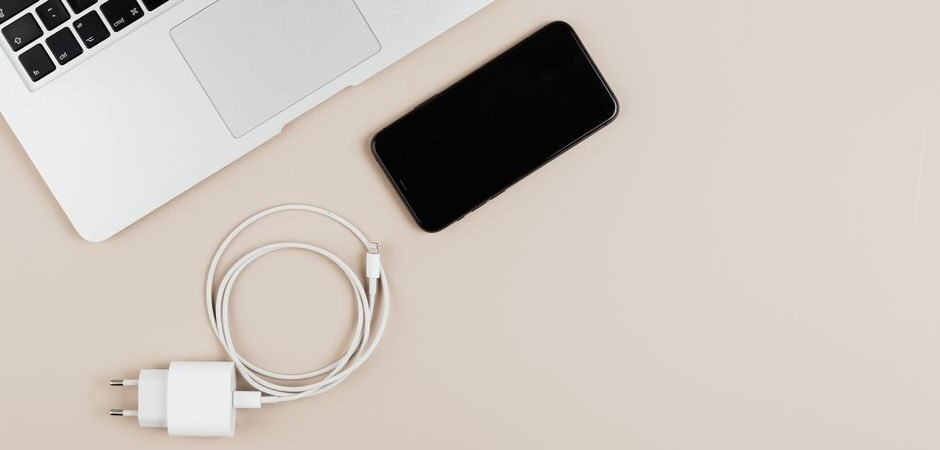
This article was written with AI assistance and reviewed for accuracy where possible; details about unreleased or rumored products may change.
We have all been there: it is 3:00 PM, your battery indicator is flashing a menacing red, and you are staring at a tangled drawer full of mysterious white cables. Choosing a phone charger used to be simple—you plugged a brick into the wall, attached a cord, and walked away. Today, however, the landscape of mobile power is a complex web of varying wattages, protocols, and port types. If you want to keep your battery healthy and your devices charged at record speeds, it is time to get intentional about your charging hardware.
Understanding the Alphabet Soup of Charging Specs
The most common point of confusion for modern consumers is the term Power Delivery, or PD. This is a technical standard that allows devices to charge over USB-C at much higher speeds than the older, traditional USB-A ports. When you are looking for a charger, you will see the word ‘wattage’ thrown around constantly. A 5W charger is a relic of the past, likely taking hours to fill your battery. A 20W charger is generally considered the baseline for modern smartphones, offering ‘fast charging’ capabilities that can get you to 50% in roughly 30 minutes. If you are charging a laptop or a tablet alongside your phone, you should look for chargers rated for 65W or higher. The beauty of these high-wattage chargers is that they are generally backward compatible, meaning a 65W brick will safely charge your phone without damaging it; the device only draws the amount of power it can handle.
The Great Port Debate: USB-A vs. USB-C
For years, USB-A was the universal standard, but it is rapidly being phased out in favor of USB-C. USB-C is smaller, reversible, and significantly more efficient. If you are shopping for a new charging block, we highly recommend investing in one that features at least two USB-C ports. While many older devices still rely on USB-A, you can easily find ‘A-to-C’ cables that bridge the gap. By sticking with USB-C infrastructure, you are future-proofing your home office or bedside table. Furthermore, if you are an avid traveler, picking up a multi-port charger that can handle your phone, your wireless earbuds, and perhaps a small camera or portable fan simultaneously will save you from hauling a bag full of individual adapters.
Material Matters: Why Your Cable Quality Impacts Speed
It is a common mistake to focus entirely on the wall brick and neglect the cable. Your charging cable is the conduit for all that energy, and if the wire is thin, poorly shielded, or damaged, you will lose efficiency. Look for cables that are braided rather than standard plastic; they are significantly more resistant to the daily wear and tear of being coiled, stepped on, or pulled from tight angles. If you frequently charge your devices in the living room or while lounging, invest in a ten-foot cable to give yourself enough slack to avoid bending the connector at awkward angles, which is the number one cause of cable fraying.
Navigating the World of Wireless Charging
Wireless charging pads have become a staple for bedside tables and kitchen counters. They offer a sense of ‘drop and go’ convenience that is hard to beat. When choosing a wireless charger, ensure it is Qi-certified. This certification guarantees that the device meets safety and efficiency standards. While wireless charging is undeniably convenient, remember that it is generally less efficient than a wired connection. You will notice your phone getting slightly warmer during the process, which is normal, but it is best to avoid using a thick, metallic phone case while charging wirelessly, as metal can interfere with the inductive process and cause unnecessary heat buildup.
Safety First: Avoiding Cheap Knock-offs
This is the most critical advice we can give: never buy ultra-cheap, unbranded chargers from questionable sources. While a five-dollar wall brick might look identical to a premium version, the internal components are often cheaply made and lack the surge protection necessary to keep your device safe. A low-quality charger can fluctuate in its power output, which may degrade your phone’s battery chemistry over time or, in worst-case scenarios, pose a fire hazard. Always look for safety certifications like UL or ETL, which signify that the product has undergone rigorous testing. Investing in a reputable brand might cost a few dollars more upfront, but it is a small price to pay for the longevity of your expensive electronics.
Optimizing for Longevity: Battery Health Tips
Charging your phone isn’t just about speed; it’s about the long-term health of your battery. Modern lithium-ion batteries are sensitive to temperature and deep discharge cycles. Avoid leaving your phone in a hot car while it is plugged into a charger, as heat is the primary enemy of battery lifespan. Additionally, try to keep your battery level between 20% and 80% whenever possible. While most modern phones have intelligent charging features that manage the final 20% of the charge overnight, being mindful of your charging habits can keep your device running like new for years longer. If you find your phone is often dead by midday, consider investing in a portable power bank—a must-have for outdoor gear bags or long commutes—instead of just relying on wall outlets.
The Future of Charging: What’s on the Horizon?
The industry is moving toward even higher efficiency and smaller form factors, thanks to Gallium Nitride (GaN) technology. GaN chargers are smaller, lighter, and run much cooler than traditional silicon-based chargers. If you are setting up a home workspace, a GaN charger is the gold standard right now. Looking ahead, there are rumored advancements in long-range wireless charging, though these remain in the experimental phase according to early reports. For now, sticking to a high-quality GaN wall adapter and a braided USB-C to USB-C cable will provide you with the most reliable, future-proof, and efficient charging experience possible. Whether you are prepping for a trip or simply upgrading your bedroom setup, choosing the right gear is all about balancing speed, safety, and compatibility.
Final Shopping Checklist
Before you hit ‘buy,’ run through this mental checklist: Does the charger have enough wattage to support your specific device? Are you choosing USB-C for future-proofing? Is the cable durable enough for your lifestyle? And most importantly, is it from a reputable manufacturer with proper safety certifications? By answering these four questions, you can ensure that your devices stay powered up safely and efficiently, leaving you more time to enjoy the technology you rely on every day. Remember, the best charger is the one you don’t have to think about—it just works, every single time.
Understanding Proprietary Charging Protocols
While the industry has made great strides toward universal standards like Power Delivery, some smartphone manufacturers still utilize proprietary fast-charging protocols. These systems often require a specific charger and cable combination from the original manufacturer to hit their advertised “super-fast” or “hyper-charge” speeds. If you are using a third-party charger with these specific devices, you might notice that while the phone still charges, it does so at a standard or “slow” rate. Before purchasing a high-end replacement adapter, verify whether your device relies on a proprietary handshake to unlock its highest wattage, or if it is fully compliant with the broader USB-PD or PPS (Programmable Power Supply) standards.
The Impact of Multi-Port Power Distribution
When selecting a high-wattage charger with multiple ports, it is vital to read the fine print regarding “power distribution.” Many chargers advertise a total output, such as 100W, but this power is not always distributed evenly across every port simultaneously. Frequently, the charger will prioritize the first port or split the wattage dynamically depending on what is plugged in. If you plug a laptop into the primary port and a phone into a secondary port, the charger may throttle the laptop’s power to ensure both devices receive a steady current. Understanding how your charger manages this traffic ensures you aren’t left with a laptop that refuses to charge because it isn’t receiving the minimum voltage threshold required to initiate a power sequence.
The Role of PPS in Modern Charging
As you dive deeper into the technical specifications of newer chargers, you will likely encounter the term PPS, or Programmable Power Supply. This is an advanced subset of the USB-C Power Delivery standard that allows for a more dynamic and efficient charging process. Unlike older chargers that provide a static voltage, a PPS-enabled charger communicates in real-time with your smartphone to adjust its voltage and current in small increments. This constant adjustment minimizes the energy lost as heat, which not only keeps your device cooler during the charging cycle but also helps maintain the long-term integrity of the battery’s chemical composition.
Managing Your Charging Ecosystem
For those who have transitioned to a fully mobile office, the temptation to use a single charger for every device is strong, but organization is key to preventing hardware strain. It is worth noting that while a high-powered 100W GaN charger is capable of powering a high-performance laptop, the cable you pair with it must also be rated to handle that specific power throughput. Always verify that your USB-C cable is marked as an “E-Marker” cable if you intend to push high wattages, as these cables contain a small chip that informs the charger and device that they are capable of safely carrying higher currents. Neglecting this detail can lead to your devices defaulting to a slow-charging state, even if your wall adapter is more than capable of handling the load.