This article was written with AI assistance and reviewed for accuracy where possible; details about unreleased or rumored products may change.
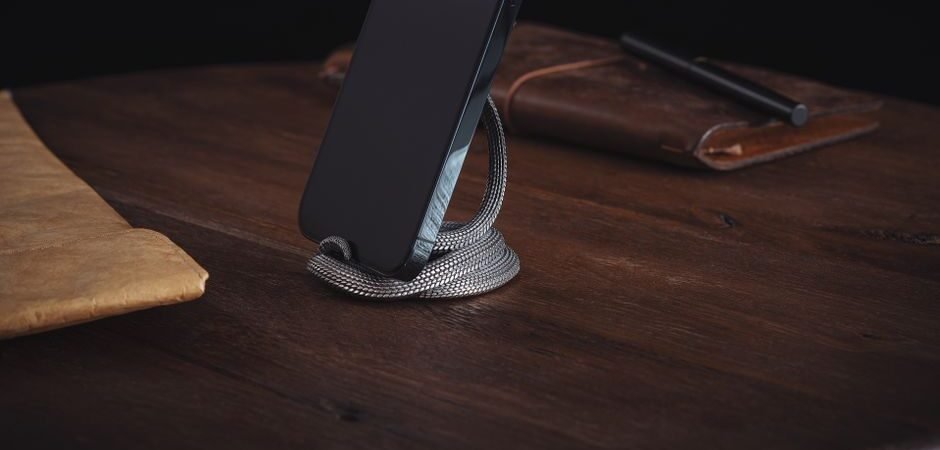
In the modern era of hybrid work and constant digital connectivity, the smartphone has evolved from a simple communication tool into a command center. Whether you are managing your calendar, keeping an eye on incoming notifications, or joining video calls, your phone is likely the most active device on your desk. Yet, so many of us leave our devices lying flat on our workspaces. This not only creates clutter but forces an awkward, neck-straining posture that can lead to discomfort by the end of the day. Investing in a quality phone stand is one of the simplest, most effective ways to upgrade your desk setup.
Why a Dedicated Phone Stand Matters
Beyond the obvious aesthetic appeal of a tidy workspace, ergonomics play a crucial role in why you should get your phone off the desk surface. When your phone lies flat, you are forced to look down, which puts unnecessary pressure on your cervical spine. Elevating your device to eye level or a comfortable viewing angle allows you to maintain a neutral neck position, significantly reducing the risk of what many physical therapists now call ‘tech neck.’ Furthermore, a dedicated stand protects your device from accidental spills and scratches, keeping your screen elevated and safe from the chaotic tumble of coffee cups, notebooks, and stray pens.
Choosing the Right Material for Your Aesthetic
The marketplace for desk accessories has exploded in recent years, offering options that range from industrial-grade aluminum to warm, sustainable bamboo. If your office leans toward a tech-heavy, minimalist aesthetic, aluminum stands are the gold standard. They provide a sturdy, weighted base that won’t wobble when you tap the screen, and they often feature cable management channels that help keep your charging cords tucked away. Conversely, if your desk is centered around natural woods and soft textures, a bamboo or walnut stand adds a touch of warmth that breaks up the coldness of screens and metal tech. Consider how your phone stand complements your existing organization, perhaps pairing well with your favorite desk organizers or the bags you use to transport your tech to and from the office.
The Versatility of Foldable and Portable Stands
For those who frequently move between a home office, a corporate cubicle, or a local coffee shop, portability is paramount. Many of the best modern phone stands now feature a foldable, hinge-based design that allows them to slip effortlessly into the front pocket of a backpack or the side compartment of a tote bag. These stands are perfect for digital nomads who need to set up a professional-looking workspace in seconds. When shopping for a portable stand, look for models with tension hinges; these allow you to lock the stand into a specific angle, ensuring it doesn’t collapse under the weight of larger smartphones or even smaller tablets. They are the ultimate companion for those who value a lightweight, minimalist carry.
Integrated Charging and MagSafe Compatibility
As smartphone technology continues to evolve, so too does the way we power our devices. We have seen reports suggesting that future device iterations may lean even further into wireless, magnetic charging ecosystems. According to early reports, upcoming smartphone hardware is expected to prioritize seamless MagSafe-style integration across more platforms. If you are shopping for a stand today, look for models that are specifically designed for MagSafe or wireless charging pads. These stands act as both a cradle and a charger, eliminating the need to fumble with lightning or USB-C cables every time you sit down. Having your phone snap magnetically into place is not just satisfying; it’s a massive time-saver that keeps your battery topped up without a single cable cluttering your sightline.
Finding the Right Viewing Angle for Video Calls
Video conferencing is now a standard part of the workday. If you find yourself frequently using your phone for Zoom or Teams meetings, your stand needs to be more than just a holder—it needs to be a tripod alternative. Look for stands that offer a wide range of tilt adjustment. You want to be able to position the front-facing camera at eye level so you aren’t looking down at your colleagues, which is a much more flattering and professional angle. A stand that allows for both portrait and landscape orientation is essential, as you may want portrait for scrolling through documents or landscape for watching video content or participating in group calls.
Durability and Stability: The “Wobble Test”
There is nothing more frustrating than a phone stand that shifts or tips over every time you tap a notification. When shopping for a stand, look for features like silicone padding on the base and the device cradle. This padding serves two purposes: it prevents the stand from sliding across your desk, and it protects the finish of your phone from metal-on-metal scratching. A heavy base is a sign of quality; if a stand is too light, the weight of the phone will cause it to tip backward. Many premium stands now utilize a weighted zinc-alloy base, which provides a low center of gravity. This stability is particularly important if you use a larger ‘Pro Max’ or ‘Plus’ size phone, which can be top-heavy in cheaper, plastic stands.
Styling Your Desk Beyond the Phone
Once you have secured the perfect phone stand, you might find that it inspires you to rethink your entire desk layout. A clean workspace is the foundation of a productive mind. Many people find that pairing their new phone stand with matching accessories—like a dedicated tray for your keys, a high-quality desk mat, or even a small stand for your wireless earbuds—creates a cohesive environment. If you enjoy a curated aesthetic, consider how your desk tech interacts with your lifestyle items. For example, if you enjoy wearing matching sets or comfortable loungewear while working from home, your desk setup should feel just as curated and intentional as your wardrobe. It’s all about creating a space that makes you feel ready to tackle your to-do list, whether that involves organizing your calendar or coordinating your next big project.
The Future of Desk Accessories
As we look ahead, the integration of smart home features into desk accessories is expected to grow. While specific product details remain under wraps and rumored at this stage, it is expected that we will see more stands featuring integrated ambient lighting or secondary displays that sync with your calendar. According to early reports, the next generation of smart stands may even utilize proximity sensors to wake your device as you approach your desk. While we wait for those innovations to hit the mainstream, the current market offers an incredible variety of stands that solve the fundamental problems of clutter and posture. By choosing a stand that fits your specific needs—whether it be portability, wireless charging, or pure aesthetic design—you are making a small investment that pays off in daily comfort and improved productivity. Whether you are a student, a creative professional, or a corporate executive, your desk is your command center. Give your phone the home it deserves, and watch how your daily workflow transforms.
Managing Cable Clutter for a Seamless Workflow
Even with the rise of wireless charging, many professionals still rely on wired connections for high-speed data transfers or to charge secondary devices. A stand that lacks integrated cable management can quickly turn a clean workspace into a mess of tangled cords. When selecting your next stand, look for models that feature built-in loops, channels, or weighted clips designed to anchor your charging cables in place. This ensures that when you disconnect your phone to head to a meeting, your cable doesn’t slip behind the desk or end up buried under a stack of paperwork. Keeping your cables routed neatly along the back of the stand or through the base allows you to maintain that minimalist look while keeping your essential power sources within arm’s reach.
Compatibility with Protective Cases and Accessories
One common oversight when purchasing a stand is failing to consider the bulk of a protective phone case. If you prefer heavy-duty, rugged, or wallet-style cases, you need a stand with a wider “cradle” or a deeper lip to accommodate the extra thickness. Some sleek, minimalist stands are designed strictly for “naked” phones and may struggle to hold a device protected by a bulky case, leading to the phone slipping off or sitting at an unstable angle. Before committing to a specific design, verify the depth of the hook or support ledge. Furthermore, if you frequently use external accessories like pop-grips or cardholders on the back of your phone, look for stands with an open-back design. This allows the phone to rest securely on the support arm without the accessory interfering with the placement, ensuring the device remains stable and at the correct viewing angle throughout the day.
Optimizing for Multi-Device Ecosystems
For those who manage both a smartphone and a tablet—or perhaps a secondary phone for work—the challenge becomes balancing real estate on the desk. You may want to consider a dual-stand configuration or a modular system that allows you to dock multiple devices side-by-side. Some modular stands are designed to be linked together, providing a unified look that keeps your desk from feeling fragmented. When you have two devices at eye level, it is often helpful to arrange them at slightly different heights or angles; for instance, keeping your primary communication device directly in front of you while placing a secondary display device at a slight offset. This prevents the “wall of tech” effect and keeps your field of vision clear for other tasks like writing or physical document review.
The Role of Desk Mats and Surface Friction
While the stand itself provides the elevation, the surface beneath it is the silent partner in your desk stability. Many users find that placing their phone stand on a high-quality desk mat—often made of felt, vegan leather, or microfiber—significantly improves the grip of the stand. A desk mat provides a consistent, non-slip base that prevents the stand from sliding when you adjust the tilt or tap the screen. Furthermore, a mat helps to dampen the vibration if you receive frequent haptic notifications or calls while your phone is docked. By creating a dedicated “landing zone” for your stand, you define a specific, protected area of your workspace, which helps maintain order even during the busiest hours of the workday.
Assessing Long-Term Wear and Material Maintenance
Beyond the initial setup, consider how the materials of your chosen stand will age under daily use. If you opt for an aluminum or zinc-alloy stand, these pieces are largely maintenance-free, though they can occasionally collect dust or fingerprints that are easily buffed away with a microfiber cloth. However, natural materials like bamboo, walnut, or even high-grade silicone require a different approach to ensure they remain a polished part of your desk for years to come. Wood stands, for instance, may benefit from the occasional application of wood conditioner to prevent drying or cracking if you work in an environment with low humidity. By choosing materials that age gracefully and fit into your regular cleaning routine, you ensure that your desk accessory remains an asset rather than a chore.
Creating a Sensory-Friendly Workspace
While productivity is often the primary goal of optimizing a desk, the sensory experience of your workspace can profoundly affect your focus and mood. A phone stand that functions silently—without clicking hinges or squeaky adjustment points—contributes to a more serene environment, especially in shared office spaces or quiet home studies. Look for stands that utilize smooth, dampened tension hinges, which offer a tactile, premium feel when you adjust your viewing angle. Additionally, consider how the stand’s contact points interact with your device; stands with soft-touch silicone or rubberized grips prevent harsh, metallic sounds when you dock or remove your phone. By prioritizing a stand that operates quietly and smoothly, you create a more harmonious, distraction-free environment that allows you to concentrate on the task at hand.